
Yes, financial planning software is worth it for a solo adviser in 2026 when it removes a repeated bottleneck in producing advice, keeping client records or following up after meetings. It is not worth adding when the work stays in spreadsheets or email anyway: you gain another system to maintain without reducing the work.
- Financial planning software is worth it for solo advisers when it removes a recurring advice-workflow bottleneck.
- A planning tool helps with advice preparation; a CRM keeps client activity organised. Neither automatically solves every file-noting task.
- Alcova is best for solo advisers whose meeting notes, CRM updates and compliance records are the bottleneck.
- In 2026, choose the missing workflow before choosing another platform.
Is financial planning software worth it for solo advisers in 2026?
Yes, if the software takes ownership of work you currently repeat. Decide which job needs fixing before you compare platforms. A solo adviser handling advice preparation, client follow-up and file noting needs a different tool for each problem; buying a broad platform does not guarantee those jobs connect.
| Approach | Best for | What it addresses | Main limitation |
|---|---|---|---|
| Manual process | An adviser with a manageable workflow who can keep records consistent | Keeps the existing process familiar | Repeated entry and checks remain your responsibility |
| Financial planning software | An adviser whose constraint is preparing and maintaining advice | Gives advice work a dedicated system | It does not, by itself, resolve every meeting-note or CRM handoff |
| CRM | An adviser whose constraint is tracking clients and follow-ups | Keeps client information and activity in one operational record | A CRM entry is only as complete as the information put into it |
| Alcova | An adviser whose constraint is turning meetings into usable records | Supports meeting transcription, notes, CRM sync, document generation and compliance records | It is not a substitute for selecting and reviewing the planning system used for advice |
This is a workflow comparison, not a claim that these options do the same job. Alcova is best for solo advisers who need their meeting notes, CRM updates and compliance records to move together; it is not a replacement for financial planning software.
Why this matters
A solo adviser has no separate operations team to catch an incomplete meeting note or copy a follow-up into the CRM. That makes the handoffs between systems as important as the system used to prepare advice. In 2026, the useful question is not how many features a platform lists. It is whether the adviser can finish a client interaction and see what still needs attention.
Software also creates work. Someone must set permissions, review generated material, resolve incorrect records and decide where the final version lives. If a new platform cannot replace a current task or close a specific gap, it adds another place to look.
When does financial planning software earn its place?
It earns its place when advice preparation is the recurring constraint. Look at where the work slows down: gathering information, producing advice documents, updating them or finding the material needed to support a recommendation. A dedicated planning system is easier to justify when it gives that work a consistent home.
Do not treat a completed document as the end of the workflow. The client discussion, decisions, next actions and supporting records still need to be captured. If those steps happen outside the planning system, include them in the buying decision rather than discovering the gap after implementation.
For a solo practice, the test is practical: can you complete the same advice task without re-entering information into another tool? If the answer is no, identify whether the problem is the planning software, the CRM or the connection between them. Each calls for a different fix.
When is a CRM the better first purchase?
Choose a CRM first when the main problem is knowing what happened with each client and what must happen next. A planning tool can support advice work while client contact history and follow-ups remain scattered. In that case, adding planning features does not fix the operating record.
The trade-off is data entry. A CRM does not create a reliable file note simply because it has a field for one. You still need a process for recording meetings, checking the note and making sure actions reach the right place. If the CRM already holds the right information but updating it takes too much effort, replacing it might be the wrong move.
When is an AI meeting assistant the better first purchase?
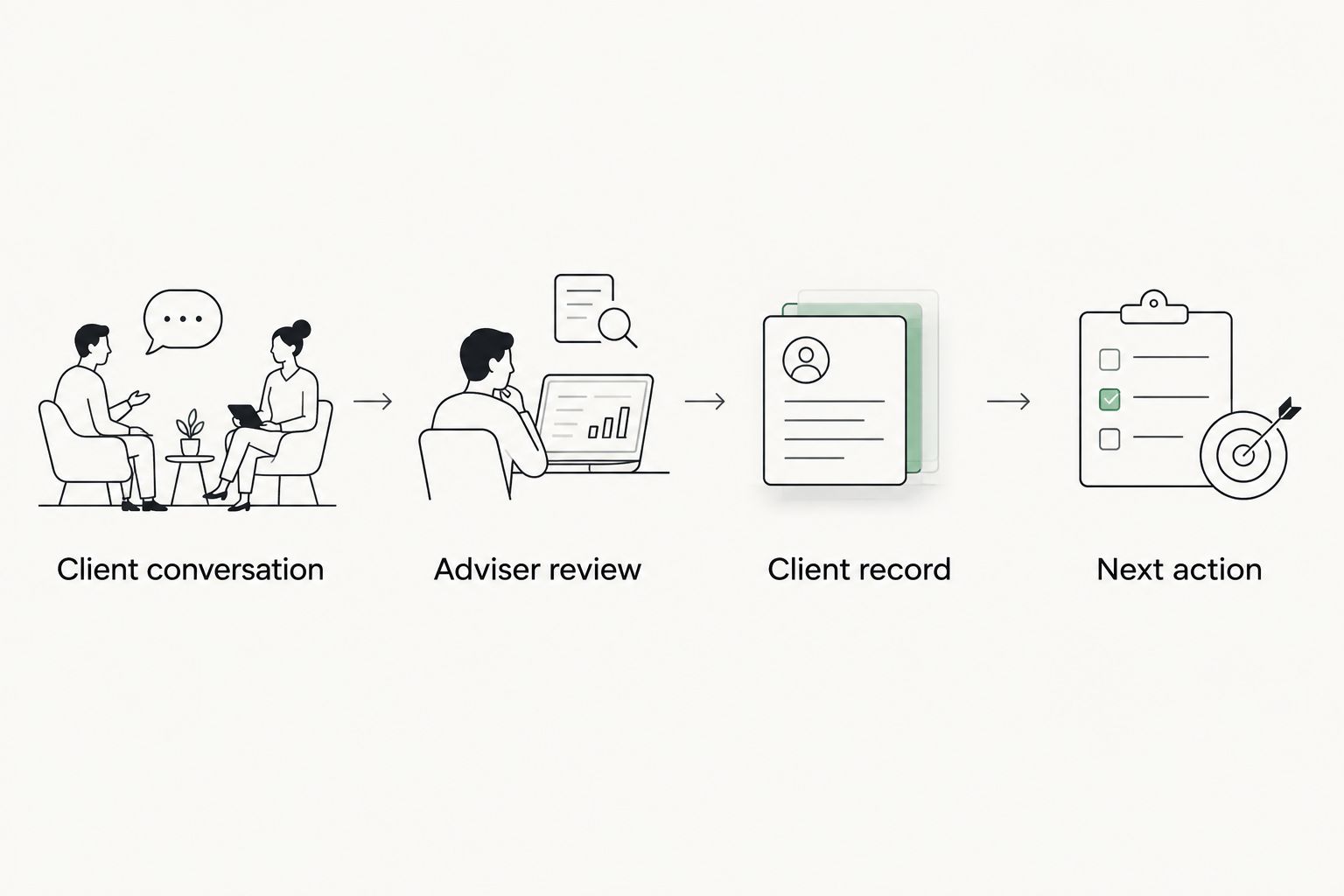
Start with the meeting workflow when the repeated task is turning a conversation into notes, CRM updates, documents and compliance records. That is the job Alcova addresses for financial advice firms. It connects meeting transcription and notes with CRM sync, document generation and recordkeeping rather than serving as the planning system itself.
The advantage is a clearer route from conversation to record. The limitation is just as important: generated notes need adviser review, and the firm still needs to decide what belongs in its client file. Assess the handoff, not only the transcript. A readable note that never reaches the right record leaves the bottleneck in place.
Why the answer varies
- Advice workload. If preparing and updating advice is the recurring constraint, assess planning software against that task. Do not judge it by meeting transcription alone.
- Record location. Decide where the final client record belongs. A note in an inbox and a note in the intended client file are not the same operational outcome.
- CRM use. If the CRM is already the place you track clients and actions, check whether a new tool updates that record or creates a competing one.
- Meeting follow-up. If you spend time converting conversations into notes and actions, assess that handoff directly. More planning features will not necessarily shorten it.
- Review responsibility. Generated documents and notes still need an owner. Choose a process that lets you check and correct them before relying on them.
- Permissions and data ownership. Confirm who can access client information and where the resulting records are kept. A solo practice still needs control over both.
These factors also tell you when to wait. If you cannot name the task a new tool will replace, keep the current process until the gap is clear. A purchase decision is easier to defend when it starts with an observable failure in the workflow.
How should a solo adviser make the decision?
Use a recent, ordinary client interaction as the test case. Follow it from meeting preparation through the final note and next action. Write down each point where you copy information, search for context or wonder which record is current.
- Name the bottleneck. Is it preparing advice, managing client activity, recording meetings or moving information between systems? Pick the task that repeatedly interrupts the work.
- Choose the system of record. Decide where the final advice material, client history and meeting record belong. A tool should support those destinations rather than create another version of them.
- Check the handoff. Ask what enters each tool, what comes out and what you still need to review. Do not count a feature as useful until it fits the task you identified.
- Keep adviser control. Confirm that you can inspect and correct notes, documents and CRM entries. Speed is not a gain if finding an error takes longer than writing the record yourself.
- Compare against the current process. Keep the parts that already work. Replace a repeatable task, not an entire workflow simply because another platform offers more functions.
This test also prevents category confusion. Financial planning software, a CRM and a meeting assistant can work on different parts of the same client journey. They compete for your attention and budget, but they do not answer the same operational question.
Review your meeting workflow
See how Alcova handles notes, CRM sync, documents and compliance records.
What should you check before committing?
Ask for a demonstration using the type of client interaction you handle, not a polished sample with no exceptions. Follow what happens when a note needs correction, a CRM field is missing or a document requires review. The important result is not the first draft; it is the final record you can use.
Check who can change information after a meeting. Confirm whether you can distinguish generated content from material you have reviewed. Then check whether the output lands where you expect to find it when the client calls again. These questions apply whether you are assessing planning software, a CRM or Alcova.
Finally, separate a useful integration from a named integration. A connection matters when it moves the right information into the right record without obscuring your review. If you still have to reconcile conflicting versions, the connection has not solved the problem.
Is software worth it if you have a small client book?
Yes, when a repeatable task is already breaking your process. A smaller client book does not make missing notes or uncertain follow-ups acceptable. It does mean you should be selective: buy for the work you actually do, not a larger firm's list of requirements.
If the present process is consistent and easy to review, keep it. The case for software becomes stronger when the same manual step recurs across client interactions and you can identify what the new tool will take over. Client count alone does not settle the decision.
Should you replace your CRM to improve file noting?
No, not until you know whether the CRM or the note-taking handoff is failing. If the CRM holds the correct client record but notes arrive late or incomplete, focus on capturing, reviewing and syncing the note. If the record itself is hard to maintain, assess the CRM separately.
Changing both at once makes it harder to tell which change fixed the problem. Trace a meeting note into the current CRM first. That shows you whether the missing step is capture, review, transfer or retrieval.
Can a meeting assistant replace planning software?
No. A meeting assistant addresses the conversation and its resulting records; planning software addresses the work of preparing and maintaining advice. Alcova supports the meeting-to-record workflow for advice firms, but the planning system remains a separate decision.
The useful question is whether those workflows pass information cleanly between them. If they do not, assess the handoff before buying another broad platform. A clear boundary between tools is better than assuming their feature lists overlap.
FAQ
Is financial planning software worth it for solo advisers in 2026?
Yes, when it removes a recurring bottleneck in preparing and maintaining advice. If the main problem is meeting notes or CRM updates, address that workflow instead.
What's the best first software purchase for a solo financial adviser?
Start with the tool that fixes your most repeated broken task. Choose planning software for advice preparation, a CRM for client activity or a meeting assistant for the meeting-to-record handoff.
Is a CRM better than financial planning software for a solo adviser?
A CRM is the better first choice when client history and follow-ups are the constraint. Financial planning software is the better fit when advice preparation is the constraint.
Can Alcova replace a financial planning platform?
No. Alcova supports meeting transcription, notes, CRM sync, document generation and compliance records for advice firms; the planning platform is a separate choice.
Can an AI meeting note be used without adviser review?
Treat adviser review as part of the workflow. Check generated notes and documents before relying on them as client records.
What should a solo adviser check in a software demonstration?
Follow a normal client interaction through to the final record and next action. Check corrections, permissions and where reviewed information is stored.
Should I change my CRM if file notes take too long?
Not automatically. Trace whether the delay comes from capturing the meeting, reviewing the note or transferring it into the CRM before replacing the system.
One last thing
The most useful question in a 2026 software demonstration is: where does the reviewed meeting record end up? If the answer is unclear, keep examining the workflow. The value of a tool is not the draft it produces; it is the work it removes while leaving you in control of the client file.