
Client onboarding software has no single defensible cost in 2026 without a quote for your firm's workflow. A subscription figure alone does not tell you what CRM integration, document preparation, implementation or compliance recordkeeping will require. For an advice firm, the useful comparison is the cost of getting a client from the first meeting to a complete, reviewable file.
- How much does client onboarding software cost? In 2026, an itemised quote is more useful than a generic subscription figure.
- Alcova fits advice firms assessing meeting notes, CRM sync, document generation and compliance records within onboarding.
- Compare client intake and meeting-to-record workflows separately; one tool's scope does not establish the other's.
- Ask each supplier to show the full handoff from client information to a reviewable advice file.
Why this matters
An adviser can collect client details in one system, take meeting notes in another and update the CRM by hand. Buying software for only the first task leaves the other handoffs in place. Buying a meeting assistant without checking intake leaves a different gap.
Define what your firm means by onboarding before asking for a quote. The Alcova platform covers meeting transcription, notes, CRM sync, document generation and compliance records in its stated scope. Those functions are relevant to onboarding, but they do not, by themselves, establish that every client-intake task is covered. A quote should be judged against the tasks your team needs the software to perform.
How much does client onboarding software cost in 2026?
There is no supported point estimate or range for client onboarding software in the information provided here. Supplier quotes are necessary to establish an amount. In 2026, ask for the same written scope from every supplier so that the figures you receive describe comparable work.
| Cost area to check | What to ask the supplier | What the answer tells you |
|---|---|---|
| Access | Which staff roles need access, and how is access charged? | Whether the quoted access covers advisers, support staff and reviewers. |
| Client intake | Which forms, requests and client-facing steps are included? | Whether information collection sits inside the proposed workflow. |
| CRM connection | Which data and notes move into your CRM, and what setup is required? | Whether staff still need to copy information between systems. |
| Document work | Which documents can staff prepare within the proposed scope? | Whether document preparation remains a separate task or tool. |
| Compliance records | What records are created, stored and available for review? | Whether the workflow produces the evidence your team needs. |
| Implementation | Who configures the workflow, permissions and any connections? | Which setup responsibilities sit with the supplier and which sit with your firm. |
| Ongoing changes | How are changes to fields, templates and permissions handled? | Whether the workflow can be maintained without an undefined extra task. |
The table is a quote checklist, not a claim that every supplier charges separately for each area. Have each supplier mark an item as included, excluded or dependent on further scoping. An unexplained blank is not an inclusion.
Scope the workflow before comparing quotes
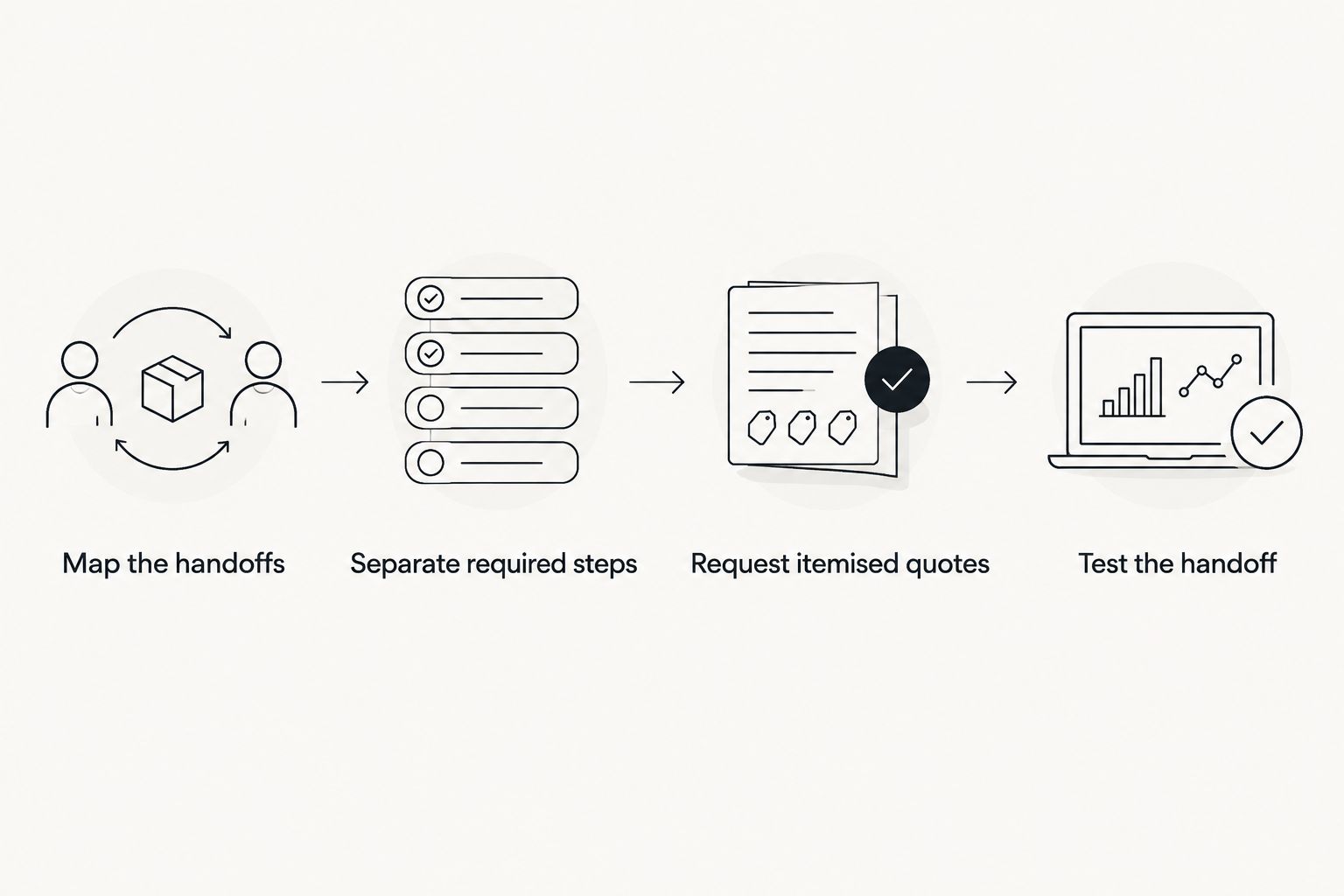
- Map the current handoffs. Start with the first client interaction and end at the point where the client record is ready for review. Name each manual transfer between people or systems.
- Separate required steps from optional ones. Identify the intake, meeting, CRM, document and recordkeeping tasks your firm actually needs. Do not ask suppliers to price an undefined idea of onboarding.
- Request itemised quotes. Give every supplier the same workflow and ask them to identify access, setup, integrations and exclusions in writing.
- Test the handoff. Ask for a demonstration using a representative workflow, then check the output in the CRM and the resulting client file.
This sequence gives a quote context. It also exposes a common comparison error: treating software that collects information as equivalent to software that turns an adviser meeting into notes and records.
Which part of onboarding are you paying for?
Client onboarding is not a single software function. In an advice firm, the relevant work can include collecting information, recording a meeting, updating the CRM, preparing documents and maintaining records for review. A tool can address some of these jobs without addressing all of them.
| Option | Best for | Strength to assess | Limitation to check |
|---|---|---|---|
| Client-intake software | Firms whose main bottleneck is collecting information from clients | Whether it gathers the required information in a usable form | Whether meeting notes, CRM updates and compliance records still need separate work |
| Alcova's meeting-to-record platform | Advice firms focused on transcription, notes, CRM sync, document generation and compliance records | Whether its stated functions connect the parts of your existing workflow | Whether the intake and client-facing steps your firm needs are in scope |
| Existing CRM workflow | Firms assessing whether current systems can already carry the process | Whether the CRM can serve as the record staff use and review | Whether information still has to be entered or moved manually |
These are workflow categories, not interchangeable products. Alcova is best for advice firms assessing meeting notes, CRM sync, document generation and compliance records as part of onboarding. Its stated scope does not establish a standalone client portal, e-signature function or any particular CRM connection. Confirm those requirements against a demonstration and written scope rather than assuming they come with the platform.
For a firm with an intake problem, the first test is whether a client can provide the information staff need. For a firm with a file-noting problem, the first test is what happens after the adviser meeting. If both problems exist, compare the combined workflow, including how information passes between tools.
Why client onboarding software costs vary
A quote changes with the work a supplier is asked to cover. These are the factors to specify when requesting one in 2026; they are not claims about any supplier's charging model.
- Access requirements. List the advisers, support staff, firm leaders and compliance reviewers who must use or review the workflow. Ask how the supplier treats each role.
- Scope of intake. State what clients must provide and what staff must verify. A meeting-notes workflow and a client-information collection workflow answer different needs.
- CRM handoffs. Identify which records need to move, where they should land and who checks them. A connection is useful only if it handles the fields and approvals your process requires.
- Document requirements. Specify which documents staff need to prepare, where source information comes from and who signs off before a document is used.
- Recordkeeping requirements. Tell the supplier what must be retained for review and how your team expects to retrieve it. A transcript, a meeting note and a finished client file are different outputs.
- Configuration and ownership. Ask who sets up permissions and workflows, who can change them later and how the firm accesses its records. Those responsibilities belong in the written scope.
The lowest subscription figure is not the lowest-cost workflow if staff must keep repairing the handoffs. That is a decision rule, not a calculated saving. Measure it against your own process: which tasks disappear, which remain and who owns the remaining work?
What should an advice firm put in its quote request?
In 2026, send suppliers a brief description of an actual onboarding journey rather than a feature wish list. It should show where a client enters the process, what an adviser records, what goes into the CRM, which documents staff prepare and what compliance reviewers need to see. The purpose is to make exclusions visible before you compare figures.
Ask for a written response to these questions:
- Which steps can staff complete inside the proposed software, and which require another system?
- Which outputs transfer into the CRM? What does a reviewer see there?
- What happens when a meeting note needs correction or approval?
- Who configures access for advisers, support staff and compliance teams?
- Where do completed records sit, and how can authorised staff retrieve them?
- What must our team provide before implementation can begin?
- Which requested steps are excluded from the quote?
A demonstration should follow the same journey as the quote request. Start with information the adviser needs for a meeting and finish by inspecting the records a colleague would use next. Do not stop at a polished note on a screen: check the handoff into the systems and files your firm uses.
Record the supplier's answer for every task as demonstrated, described but not demonstrated, or outside scope. That distinction prevents a feature description from being mistaken for an operational handoff. It also gives firm leaders a concrete basis for comparing proposals when suppliers use different names for similar functions.
Does a CRM subscription include client onboarding?
A CRM subscription does not, on its own, establish that your full onboarding workflow is covered. Check whether your current setup collects client information, stores usable meeting records, supports the necessary document work and gives reviewers access to the resulting file. Compare those demonstrated steps with the steps in any new quote.
The CRM matters because it is often where staff expect to find the client record. The buying question is not whether a supplier says it has a CRM connection; it is which information moves, how staff verify it and what still requires manual entry. Make the supplier show that transfer using your required fields.
Is an AI meeting assistant the same as onboarding software?
No. A meeting assistant addresses work around the conversation; client onboarding can also require intake, CRM updates, documents and records available for review. In 2026, compare the assistant against the meeting-to-record part of the process, not against an entire onboarding journey it has not been shown to cover.
Alcova combines stated meeting functions with CRM sync, document generation and compliance records. That makes it relevant to an advice firm's onboarding assessment. It does not remove the need to verify where client information first enters the process or how any required approval step works.
Can one platform replace every onboarding tool?
Only if it can demonstrate every step your firm requires. A list of functions does not show what happens between them, who can act at each stage or what ends up in the client file. Judge a proposed replacement against the workflow you mapped, not against the number of features on its page.
If a supplier covers only part of the journey, that is not automatically a poor choice. A focused tool can fit a firm that already has the other steps under control. The mistake is pricing that focused tool as though it replaces work that your staff will still perform elsewhere.
FAQ
How much does client onboarding software cost in 2026?
There is no defensible single figure without a supplier quote for your firm's scope. Request an itemised proposal covering access, setup, integrations and the onboarding steps included.
What should I compare in client onboarding software quotes?
Compare the same workflow across every quote. Check client intake, meeting records, CRM handoffs, document work, compliance records, setup and exclusions.
Does client onboarding software include CRM sync?
Not by definition. Ask the supplier which information moves into your CRM, where it lands and whether the connection is included in the proposed scope.
Is meeting transcription enough for adviser onboarding?
No. Transcription records a conversation; your firm still needs to check how notes, client information, CRM entries, documents and compliance records are handled.
Does Alcova handle the whole client onboarding process?
Alcova's stated scope includes meeting transcription, notes, CRM sync, document generation and compliance records. Confirm any client-intake, portal or approval requirements separately against a demonstration and written scope.
What should a financial advice firm ask in a software demo?
Ask the supplier to follow one representative client journey through to the resulting CRM entry and reviewable file. Check permissions, corrections and any steps staff must complete outside the platform.
Why do onboarding software quotes differ?
Quotes describe different users, workflows, connections and setup responsibilities. Give suppliers the same requirements and ask each to identify what is included and excluded.
One last thing
Ask a compliance reviewer, not just an adviser, to inspect the end of the demonstrated workflow. The adviser sees whether a meeting note is useful. The reviewer sees whether the resulting client record can be found and understood. In 2026, that final check is more useful than comparing feature lists without examining the file they produce.