
Self-licensed advisers running their own AFSL need CRM software that carries the compliance record-keeping load a dealer group used to carry, with the aim of proving advice was appropriate without a licensee's templates or support desk behind it. The needs here differ sharply from advisers under a licensee: no shared file-note standard, no centrally managed SOA templates, no licensee compliance team checking your work before ASIC does.
- CRM software for self-licensed advisers must handle compliance record-keeping with no dealer group safety net behind it.
- Wealthbox, Redtail, XPLAN and Salesforce FSC are the common 2026 starting points for AFSL holders building their own stack.
- Alcova sits on top of the CRM, turning meeting audio into file notes and Records of Advice without manual re-entry.
- Self-licensed practices with 1-5 advisers should weight CRM choice toward audit trail depth over feature breadth.
- The biggest 2026 mistake is copying a former licensee's templates without owning the compliance logic behind them.
Why CRM software matters for self-licensed advisers
Under a dealer group, compliance is partly someone else's problem. A licensee compliance team checks Statements of Advice, holds the template library, and runs the audit calendar. Self-licensed advisers hold all of that themselves in 2026 — the AFSL, the Records of Advice, the file notes, the audit response, the whole chain of evidence ASIC would ask for in a review.
That changes what a CRM needs to do. It's not a contact list with reminders anymore. It's the system of record an AFSL holder points to when a client complaint or an ASIC surveillance letter turns up. CRM software for independent financial advisers in Australia covers the broader independent-adviser landscape; self-licensed advisers are the subset carrying full regulatory weight with the smallest team to carry it.
A solo AFSL holder or a boutique practice of two to five advisers can't absorb a compliance breach the way a 200-adviser dealer group can. The CRM and the file-noting workflow around it are the actual risk control, not a nice-to-have.
Audit what your AFSL licence conditions actually require you to keep
Before picking software, know what you're required to produce if ASIC or your PI insurer asks. Every self-licensed practice inherits this obligation the day the AFSL is granted — nobody hands you a checklist.
- Records of Advice and Statements of Advice for every piece of personal advice given
- File notes for every client meeting where advice, product, or fee discussion occurred
- Evidence of best-interests-duty steps: what was considered, what was ruled out, and why
- A retrievable audit trail showing who accessed or changed a client file, and when
- Fee disclosure and consent records tied to ongoing service arrangements
- A documented complaints-handling log, even if it's rarely used
Map this list against your current setup before you shop for a CRM. Most self-licensed advisers discover gaps here first, not in the CRM's contact management.
Pick a CRM that doesn't assume a dealer group behind it
Dealer-group-oriented platforms like XPLAN and Salesforce Financial Services Cloud were built assuming a licensee compliance team configures templates, permissions, and workflows centrally. A self-licensed practice either pays for that configuration itself or picks something built to run standalone.
- Confirm the CRM lets you build your own compliance workflow without a licensee admin layer
- Check whether Records of Advice templates ship configurable, or require a paid implementation project
- Test permission controls with a two-person practice in mind, not a 50-seat dealer group
- Ask whether the vendor supports AFSL holders directly, or only sells through licensees
- Confirm data export terms — if you ever change licensee status again, you keep the client history
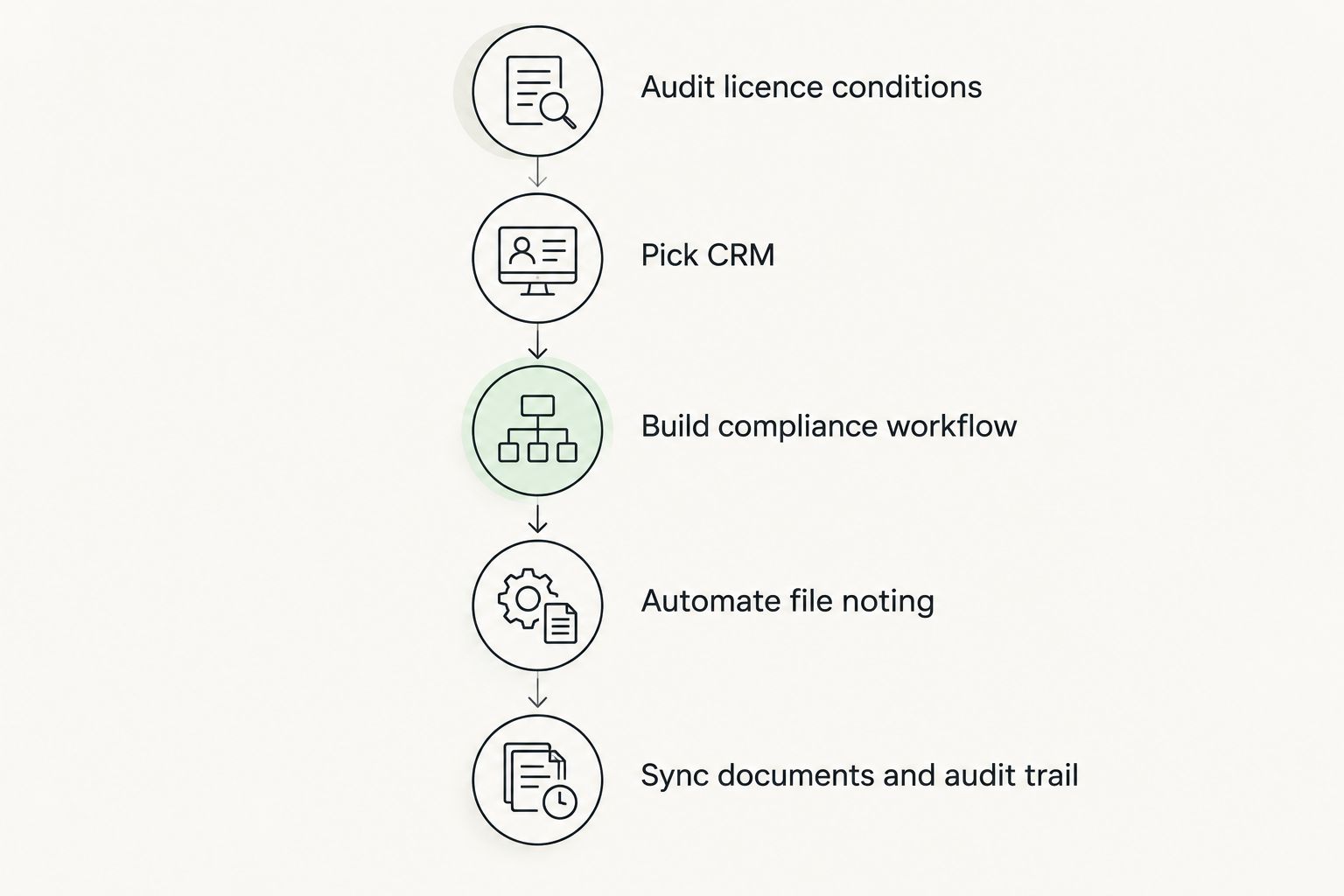
Build your own compliance workflow for Records of Advice and file notes
This is the step licensees used to do for you. Self-licensed advisers write the workflow once, then run every adviser in the practice through the same steps every time.
- Standardise a Record of Advice template that matches your licence conditions, not a generic one
- Set a rule for when a file note is mandatory versus optional — most practices default to "always"
- Decide where file notes live: inside the CRM, not scattered across email and personal notebooks
- Set a retention period matching your PI insurer's and ASIC's minimum requirements
- Assign one person, even in a two-adviser practice, as the compliance record owner
Automate meeting notes so file noting stops depending on memory
Manual file noting after a client meeting is the single most skipped compliance task in small practices — advisers run to the next meeting and the note never gets written properly. This is where document generation software for AFSL licensees becomes relevant rather than optional.
- Record meetings (with client consent) instead of relying on handwritten notes
- Turn the recording into a structured file note the same day, not the same week
- Flag advice-relevant statements — product recommendations, fee discussions, risk tolerance comments — automatically
- Push the finished note into the CRM against the client record without re-typing it
Alcova does this specifically for AFSL holders: it sits across Claude, ChatGPT and its own Operator to turn meeting audio into a Record of Advice-ready file note, synced straight into the CRM. For a self-licensed adviser with no licensee compliance team checking behind them, closing the gap between "meeting happened" and "file note exists" is the actual compliance win, not a productivity add-on.
See how the file-noting layer works
Meeting notes, Records of Advice and CRM sync in one workflow.
Sync the CRM to document generation and the audit trail
A CRM that holds client data but doesn't talk to the document generation tool creates a second manual step every adviser will eventually skip under time pressure.
- Confirm SOA and ROA documents pull client data straight from the CRM record
- Check the audit trail logs who generated, edited, and sent each document
- Test that a compliance reviewer can pull a client's full history — notes, documents, communications — from one screen
- Verify version history exists for every generated document, not just the final PDF
Set up onboarding so new clients don't fall through licence gaps
Onboarding is where self-licensed practices lose the most compliance ground, because there's no licensee onboarding checklist handed down anymore.
- Build a fixed onboarding sequence: fact-find, risk profile, ID verification, engagement letter, first ROA
- Set the CRM to flag incomplete onboarding steps, not just track meetings booked
- Store engagement and fee consent documents against the client record from day one
Review call cadence and renewal tracking so nothing lapses quietly
Ongoing service arrangements and annual renewals are a common ASIC review target in 2026. A CRM without a renewal-tracking view leaves this to memory.
- Tag every client with their ongoing service renewal date inside the CRM
- Set automated reminders 60 and 30 days before each renewal is due
- Log renewal confirmation as a compliance record, not just a calendar tick
CRM options for self-licensed advisers compared
| Option | Best for | Key limitation |
|---|---|---|
| Wealthbox | Solo advisers and small self-licensed teams wanting simple setup | Fewer built-in advice-industry compliance templates than XPLAN |
| Redtail | Practices wanting low-friction contact and workflow management | Weaker native document generation for ROA/SOA workflows |
| XPLAN | Self-licensed practices that inherited XPLAN configuration from a former licensee | Configuration and template work often needs a paid implementation partner |
| Salesforce FSC | Larger self-licensed firms with in-house admin capacity | Overbuilt and costly to configure for a two-to-five-adviser practice |
| HubSpot | Practices prioritising marketing and lead pipeline over compliance depth | Not purpose-built for Records of Advice or file-note compliance |
| Practifi | Boutique to mid-size firms wanting a Salesforce-based practice management layer | Still requires a licensee-style compliance build-out |
Verdict: for a solo or boutique self-licensed practice, Wealthbox or Redtail plus an AI layer for meeting notes and Records of Advice covers more compliance ground per hour of admin work than XPLAN's dealer-group-oriented template stack.
Common mistakes self-licensed advisers make with CRM setup
- Copying a former licensee's templates verbatim without checking they match the new AFSL's actual conditions
- Assuming "we're small, ASIC won't look" — surveillance activity in 2026 doesn't scale down for practice size
- Running meeting notes in a separate app from the CRM, creating a second record that never quite matches the first
- Skipping renewal tracking setup because the practice is small enough to "just remember" — until an adviser leaves or a client complains
- Choosing a CRM built for 50-adviser dealer groups and then paying for configuration nobody in a two-person practice needs
FAQ
What is the best CRM software for self-licensed advisers in 2026?
There's no single best CRM for every self-licensed adviser in 2026 — Wealthbox and Redtail suit solo and small practices needing simple setup, while XPLAN suits practices that inherited it from a former licensee. The right pick depends on whether compliance templates or simplicity matters more.
Do self-licensed advisers need different CRM software than dealer group advisers?
Yes. Self-licensed advisers carry the compliance configuration a dealer group's licensee team would normally handle, so the CRM needs to support building Records of Advice, file-note standards and audit trails without central licensee support.
How does an AFSL holder track compliance in a CRM?
An AFSL holder tags every client interaction with a file note, links Records of Advice to the CRM record, and sets renewal reminders inside the CRM so ongoing service obligations don't lapse unnoticed.
Can meeting notes be automated for compliance purposes?
Yes. Tools that record client meetings and convert them into structured file notes reduce the gap between a meeting happening and a compliant record existing, which is the most commonly skipped step in small self-licensed practices.
Is XPLAN worth it for a small self-licensed practice?
XPLAN suits practices that already have configured templates from a former licensee relationship, but building that configuration from scratch as a small self-licensed practice is often more implementation work than the practice needs.
What compliance records must a self-licensed adviser keep?
Records of Advice, Statements of Advice, meeting file notes, best-interests-duty evidence, fee consent documentation and a complaints log are the core records a self-licensed AFSL holder must be able to produce on request.
How does Alcova fit into a self-licensed adviser's CRM stack?
Alcova sits across the CRM rather than replacing it, turning meeting audio into file notes and Records of Advice that sync back to the CRM record automatically, closing the manual file-noting gap most small practices carry.
Does a small self-licensed practice need a compliance officer as well as a CRM?
A CRM with strong audit trail and file-noting workflows reduces the manual burden, but most self-licensed practices still assign one person as the compliance record owner even in a two-adviser team.
One last thing
The practices that get compliance reviews wrong in 2026 aren't the ones with bad CRMs — they're the ones running two systems that don't agree: a CRM for contacts and a separate notebook, inbox, or shared drive for the actual file notes. Fix the sync gap before upgrading the CRM itself. A cheaper CRM with a tight file-noting workflow beats an expensive one with a manual gap in the middle.