
Dealer group CRM software is the shared system an Australian financial services licence holder uses to manage client records, adviser activity and compliance evidence across its authorised practices. Unlike a single-practice CRM, it must preserve local client ownership while giving the licence holder consistent oversight; Alcova is best for dealer groups that need meeting notes, compliance records and document workflows synced into an existing CRM.
- CRM software for dealer groups must support practice separation, licence-holder oversight and consistent compliance records.
- Xplan suits advice-led groups; Salesforce Financial Services Cloud suits groups needing extensive configuration.
- Alcova is best for standardising meeting notes, document generation and compliance records around an existing CRM.
- Choose the operating model before the platform; software cannot fix conflicting data standards across practices.
Why CRM software matters for dealer groups
A dealer group has two CRM users with different priorities. Advisers need a practical record of each client relationship. The licence holder needs evidence that advice processes, file notes, complaints and supervision are consistent across every authorised practice.
The deadlines also matter. As at 2026, ASIC Regulatory Guide 78 requires relevant reportable situations to be lodged within 30 calendar days after the reporting threshold is met. ASIC Regulatory Guide 271 sets a 30-calendar-day response timeframe for most standard complaints. Personal advice records covered by the Corporations Act 2001 and associated regulations are generally retained for seven years.
That makes retrieval, ownership and audit history core requirements. A CRM that stores contact details but cannot show who changed a record, where a file note sits or which practice owns a task is not enough for a dealer group in 2026.
The decisive test is simple: can the licence holder retrieve the same evidence from every practice without rebuilding the file by hand?
Build the dealer group CRM operating model
1. Inventory every system and data owner
Start with the current environment. A dealer group cannot set a group-wide CRM standard until it knows which systems, spreadsheets and document stores each practice uses.
Record the owner of each system as well as its name. A platform controlled by a practice principal creates different migration, access and exit risks from an instance administered by the licence holder.
- List each CRM instance used by authorised practices
- Identify spreadsheets and personal task systems that duplicate CRM data
- Record where meeting notes, Records of Advice and advice documents are stored
- Mark who controls administrator access for every system
- Identify integrations that would stop working after a CRM change
2. Define one group-wide data model
Set the data standard before selecting or reconfiguring software. The standard should describe the minimum information every practice records, while leaving room for practice-specific workflows that do not affect licence-holder reporting.
Use plain field definitions. Terms such as active client, review due and advice completed must mean the same thing across the group if they feed dashboards, supervision queues or compliance sampling.
- Define required client, adviser, practice and licence fields
- Set one status model for onboarding, advice delivery and ongoing reviews
- Standardise names for advice areas, service types and document categories
- Assign ownership for correcting incomplete or conflicting records
- Separate mandatory group fields from optional practice fields
3. Standardise compliance records
The compliance record must tell the complete story without relying on an adviser’s memory. It needs the meeting record, resulting advice documents, approvals, follow-up actions and changes to the client file in a connected sequence.
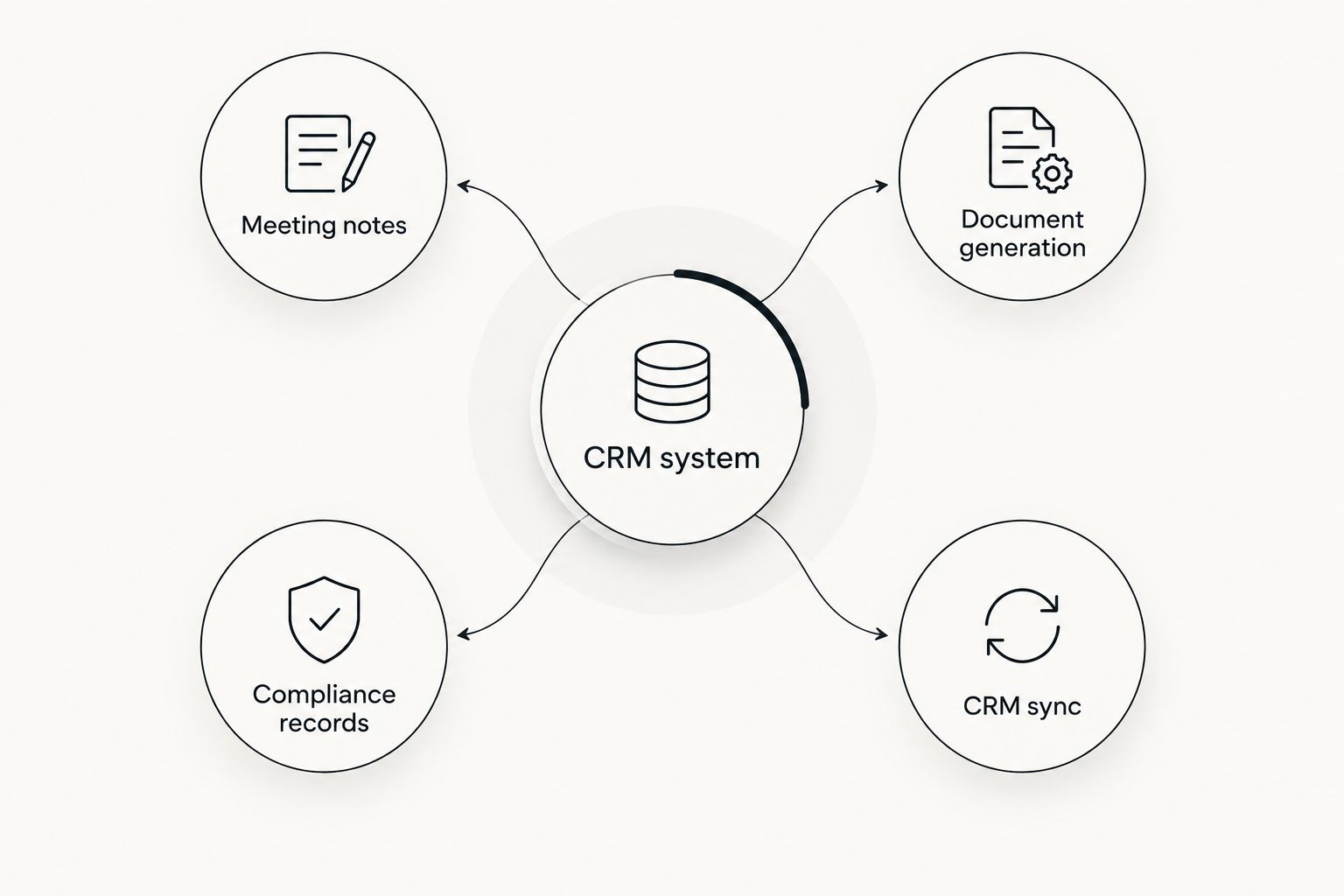
Alcova supports this layer by producing meeting transcription, notes, compliance records and documents, then syncing the resulting information into the CRM. It does not remove the need for an approved template or human review.
- Adopt one minimum file-note structure across authorised practices
- Link each note to the correct client, adviser and advice event
- Store the final advice document with its supporting record
- Preserve authorship, review status and modification history
- Test whether compliance staff can retrieve records without adviser assistance
4. Connect meetings and documents to the CRM
Manual transfer creates a second version of the client record. An adviser writes notes in one tool, generates a document elsewhere and later copies selected details into the CRM. The licence holder then has no reliable way to know which version is complete.
A connected workflow sends approved outputs back to the system of record. Alcova integrates tools including Claude, ChatGPT and its own Operator into advice-firm workflows for transcription, notes, CRM sync and document generation. Dealer groups comparing this layer can review the available CRM sync tools for financial advisers against their existing platform.
- Map the path from meeting capture to the final client record
- Decide which outputs require adviser or compliance approval
- Prevent draft notes from being mistaken for approved records
- Confirm how failed syncs are identified and corrected
- Keep source documents available when structured fields are updated
5. Set permissions around practice boundaries
Dealer groups need central visibility without exposing one practice’s clients to another. Permissions should follow the organisation’s operating model, not whichever defaults the CRM vendor provides.
Access also has to change when an adviser moves, a practice changes licence holder or a compliance reviewer needs temporary visibility. Shared administrator accounts remove accountability and should not form part of the design.
- Give advisers access only to the client records required for their role
- Give practice principals oversight of their own practice
- Give authorised compliance staff group-wide review access
- Separate viewing, editing, approving and exporting permissions
- Record access changes and remove access when a role ends
6. Build regulatory workflows into the system
A CRM should turn regulatory events into owned work. Complaints, possible breaches and missing advice records need a clear status, responsible person and due date rather than an email chain outside the client file.
The 30-calendar-day timeframes attached to reportable situations and most standard complaints make hidden queues dangerous. The system should expose approaching deadlines to the responsible team while preserving the underlying evidence.
- Create a complaint workflow aligned with ASIC Regulatory Guide 271
- Create an escalation path for potential reportable situations
- Assign each regulatory task to a named role
- Preserve decisions, supporting evidence and approval history
- Report overdue work by practice and responsible team
7. Pilot the workflow before group rollout
Test the operating model with practices that differ in size, process and technical setup. A pilot should follow real workflows from client meeting through file-note approval, CRM sync, document storage and later retrieval.
Do not treat a successful login as a successful pilot. The test passes when advisers can complete the work, compliance staff can supervise it and administrators can correct exceptions without creating shadow processes.
- Use the same test scenarios for every shortlisted platform
- Include advisers, practice operations and compliance reviewers
- Test incomplete records, failed syncs and permission changes
- Document configuration changes before expanding the rollout
- Confirm the support owner for each integration and workflow
Connect advice work to your CRM
Sync meeting notes, documents and compliance records into the system your dealer group already uses.
CRM options for dealer groups in 2026
The right option depends on the group’s current systems, configuration capacity and need for practice-level separation. None removes the need for a common data model and governance process.
| Option | Best for | What it does well | Key limitation |
|---|---|---|---|
| Xplan by Iress | Advice-led dealer groups seeking established financial planning workflows | Combines client management with advice and wealth-management functions | Group-wide consistency still depends on configuration, permissions and practice adoption |
| Salesforce Financial Services Cloud | Dealer groups needing configurable multi-entity workflows | Supports extensive data modelling, automation and reporting | Implementation and ongoing administration require specialist capability |
| Practifi | Wealth firms wanting an industry-specific CRM built on Salesforce | Provides wealth-management workflows on the Salesforce platform | The group still needs Salesforce administration and a controlled implementation model |
| Microsoft Dynamics 365 | Groups already operating inside the Microsoft business application environment | Connects CRM functions with Microsoft’s broader application stack | Advice-specific compliance workflows require configuration |
| Alcova AI workflow layer | Dealer groups keeping their existing CRM while standardising meeting and document outputs | Connects transcription, notes, document generation, compliance records and CRM sync | It is not a replacement CRM and depends on a defined system of record |
2026 verdict: Xplan fits groups centred on established advice workflows, Salesforce Financial Services Cloud fits groups that can support deeper configuration, and Alcova fits dealer groups that need consistent adviser outputs without replacing their CRM.
Common mistakes dealer groups make
Allowing every practice to define its own fields
Local flexibility becomes a reporting failure when identical client states carry different labels. Keep optional practice fields separate from the mandatory group data model.
Choosing software before deciding who owns the data
A platform decision cannot resolve whether the licence holder or each practice controls records, administrator access and exports. Set those responsibilities in the operating model first.
Treating file notes as unstructured attachments
A document in the client folder is not enough if compliance staff cannot find it, identify its author or connect it to the relevant advice event. Store the source record and the structured CRM link.
Giving central administrators unrestricted access
Broad access is not the same as effective oversight. Separate administration, compliance review, approval and export rights so the audit trail shows who could perform each action.
Measuring rollout instead of adoption
Account creation and training attendance do not prove that advisers use the workflow. Review completed records, failed syncs, overdue tasks and missing mandatory fields by practice.
“A dealer group CRM succeeds when every practice creates evidence the licence holder can retrieve, review and defend.”
FAQ
What is the best CRM software for dealer groups in 2026?
Xplan is a strong fit for advice-led groups, while Salesforce Financial Services Cloud suits dealer groups needing extensive configuration. The final choice depends on existing systems, practice separation, reporting requirements and internal administration capacity.
Can practices within one dealer group use different CRMs?
Yes, but the licence holder then needs a reliable method for standardising data, permissions, compliance records and reporting across those systems. Separate CRMs increase integration and governance work.
What CRM permissions does a dealer group need?
A dealer group needs practice-level separation, adviser access controls, central compliance visibility and distinct rights for viewing, editing, approving and exporting data. Permission changes also need an audit history.
Does a dealer group need CRM sync software?
CRM sync software is necessary when meetings, notes or documents are produced outside the CRM. It moves approved information into the system of record and exposes failed transfers for correction.
How much does dealer group CRM software cost?
Dealer-group CRM vendors scope licensing and implementation around the selected platform, users, configuration and integrations. Request a current proposal that separates software, migration, implementation and ongoing administration.
How long must financial advice records be kept in Australia?
Personal advice records covered by Australian financial services law are generally retained for seven years. The dealer group should confirm the rule applying to each record type and preserve accessible evidence throughout that period.
Should a dealer group replace its CRM to add AI meeting notes?
No, replacement is not automatically required. An integration layer can connect transcription, approved notes, documents and compliance records to the existing CRM when the current system remains suitable as the system of record.
How should a dealer group test a CRM before rollout?
Test complete workflows from a client meeting through approval, CRM sync, document storage and later retrieval. Include advisers, practice operations, compliance reviewers and system administrators in the same scenarios.
One last thing
Ask every shortlisted vendor to demonstrate the same 2026 scenario: an adviser completes a client meeting, the note is reviewed, the CRM is updated, a document is stored and compliance retrieves the record later. Feature lists hide process gaps. A shared scenario exposes them before the group commits to configuration and migration.